|
Prospect Management
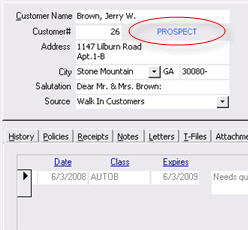
With the introduction of X-Date tracking, The Agency Advantage customers may now manage prospective customers. The Customer Lookup has been redesigned to make locating and servicing clients and prospects easier and more efficient. While active and inactive customers will still appear in black and red, respectively, prospective customers will appear in blue. In addition, you now have the ability to filter your search results so that only active, inactive, or prospective accounts appear.
X-Dates can be entered under the X-Dates tab within the Customer Folder.
The X-Date Listing will give you a report based on the expiration dates entered. This report can be filtered by CSR, location, line of business, or referral source. You can access the X-Date Listing from the menu by choosing Reports then X-Date Listing.
Written by: Russ Cummings
|
||||||
|
|
||||||